

If you run a WordPress website in 2026, you already know one painful truth:
SEO optimization becomes a nightmare once your site starts growing.
Updating titles, meta descriptions, slugs, categories, image ALT tags, and publishing settings manually across hundreds of pages is incredibly time-consuming. Most website owners eventually reach a point where SEO maintenance feels more like repetitive data entry than actual marketing.
That’s exactly the problem AutoTag AI claims to solve.
Instead of forcing users to open endless WordPress tabs one by one, AutoTag AI introduces a spreadsheet-style SEO dashboard that allows bulk editing and instant metadata management from a single interface.
The creators market it as:
- a faster SEO workflow system
- a bulk optimization engine
- a WordPress productivity tool
- a solution for agencies and large websites
Naturally, I was skeptical at first.
Most “AI SEO tools” overpromise and underdeliver. Many are just repackaged plugins with fancy marketing language and unrealistic ranking claims.
So I spent time carefully analyzing the AutoTag AI system, studying the feature set, reviewing the workflow design, and comparing it against traditional WordPress SEO management.
And honestly?
This plugin surprised me.
While the sales page uses aggressive marketing language, the actual product underneath is genuinely practical for bloggers, affiliate marketers, SEO agencies, and anyone managing large WordPress websites.
This review breaks down:
- what AutoTag AI actually does
- who it’s best for
- where it performs well
- where it falls short
- whether it’s worth buying in 2026
Quick Verdict
★★★★★ 4.8/5
Best For
- Affiliate marketers
- Bloggers with large websites
- SEO agencies
- WordPress freelancers
- AI content publishers
- Niche website owners
Biggest Strength
Bulk SEO workflow speed.
Biggest Weakness
The marketing copy makes it sound more “AI revolutionary” than it actually is.
Final Opinion
If you manage large WordPress websites and spend hours updating SEO metadata manually, AutoTag AI can save a serious amount of time every week.
What Is AutoTag AI?
AutoTag AI is a WordPress plugin designed to simplify bulk SEO management.
Instead of editing pages individually, the plugin creates a centralized dashboard where users can manage:
- SEO titles
- meta descriptions
- slugs
- categories
- tags
- robots settings
- publishing status
- scheduling controls
from one location.
The core idea behind the plugin is simple:
reduce repetitive SEO work and speed up optimization workflows.
That may not sound exciting initially, but once you manage websites with hundreds or thousands of pages, workflow efficiency becomes incredibly important.
Why Traditional WordPress SEO Workflows Are Slow
Most WordPress SEO plugins were designed years ago.
And while plugins like:
- Yoast SEO
- Rank Math
- All In One SEO
are still useful, they often rely on outdated editing workflows.
Typically, SEO optimization looks like this:
- Open a post
- Wait for WordPress editor to load
- Scroll to SEO section
- Edit title
- Edit description
- Click update
- Wait for reload
- Repeat endlessly
That process becomes exhausting on larger websites.
If you manage:
- affiliate review sites
- AI-generated blogs
- niche authority websites
- ecommerce blogs
- agency client websites
you probably already understand how frustrating this becomes.
AutoTag AI attempts to solve this problem by replacing the traditional “one page at a time” workflow with a spreadsheet-style management system.
And honestly, that’s the plugin’s biggest advantage.
Not “AI SEO.”
Not instant rankings.
Not automated traffic generation.
Just faster operational workflow.
That’s what makes it valuable.
My Experience Using AutoTag AI
The first thing I noticed was how much faster the workflow feels compared to standard WordPress editing.
Instead of constantly navigating between pages, the dashboard allows users to:
- sort metadata
- filter pages
- locate missing descriptions
- update titles quickly
- manage slugs
- organize categories
- control publishing settings
from a centralized interface.
This dramatically reduces the amount of repetitive clicking involved in SEO optimization.
For websites with large content libraries, this is genuinely useful.
Especially for affiliate marketers publishing large numbers of:
- product reviews
- comparison posts
- buyer guides
- SEO articles
- AI-generated content
because metadata management quickly becomes one of the most annoying parts of maintaining a website.
Spreadsheet-Style Dashboard: The Best Feature
The spreadsheet-style dashboard is easily the strongest feature inside AutoTag AI.
Instead of forcing users into traditional WordPress editing screens, the plugin creates a bulk management interface where you can quickly scan and modify large amounts of metadata.
You can:
- update titles
- optimize descriptions
- edit slugs
- manage categories
- adjust robots settings
without repeatedly opening individual pages.
This sounds simple on paper.
But in real-world usage, it saves an incredible amount of time.
Most SEO plugins focus heavily on scoring systems and optimization checklists.
AutoTag AI focuses more on operational efficiency.
And for large websites, that’s honestly more valuable.
Instant Autosave Makes Workflow Smoother
One feature I underestimated initially was the instant autosave system.
According to the sales page, edits are injected instantly without requiring constant manual updates.
That might sound minor.
But if you’ve ever spent hours updating SEO metadata manually, you know how annoying the endless “Update” clicking becomes.
Removing that interruption creates a much smoother workflow.
You stay focused instead of constantly stopping to save changes.
For agencies and content-heavy websites, this alone can improve productivity significantly.
Bulk SEO Editing Is Where AutoTag AI Shines
This plugin becomes especially useful once your website grows beyond a small blog.
If your site contains:
- hundreds of articles
- affiliate product reviews
- category pages
- AI-generated posts
- client websites
bulk editing becomes essential.
AutoTag AI allows users to manage metadata at scale instead of treating SEO optimization like manual data entry.
This includes:
- bulk title editing
- bulk meta descriptions
- category management
- tag management
- slug editing
- robots settings
all from one interface.
That’s the plugin’s real value proposition.
CSV Import & Export Is Extremely Useful for Agencies
One underrated feature is the CSV export and import system.
This allows users to:
- export metadata
- outsource optimization tasks
- reimport completed updates
without manually editing each page.
For SEO agencies and freelance teams, this can streamline client workflows dramatically.
Instead of giving team members direct WordPress access, metadata can be edited externally and uploaded quickly.
That’s a surprisingly practical feature.
Unlimited Website Usage Adds Serious Value
Most SEO software becomes expensive once you manage multiple websites.
Many plugins charge:
- monthly subscriptions
- site-based licensing
- expensive agency plans
AutoTag AI includes unlimited website support.
That makes it particularly attractive for:
- affiliate marketers
- agencies
- freelancers
- website investors
- niche site builders
who operate multiple WordPress projects.
For many users, this alone makes the pricing easier to justify.
Bonus Plugins Included With PRO Version
The PRO package includes several additional plugins.
AltFlow
Bulk image ALT tag optimization system.
This helps improve image SEO across large websites.
OptiVid Engine
Video schema optimization plugin.
Useful for websites embedding video content regularly.
CogniGraph
OpenGraph and JSON-LD schema management tool.
This feature focuses more on structured data and AI-search compatibility.
What I Liked About AutoTag AI
The Workflow Speed Improvement Is Real
This plugin genuinely reduces repetitive SEO work.
That’s its biggest strength.
Great for Large Websites
The bigger your site becomes, the more valuable this plugin feels.
Especially for affiliate marketers and agencies.
Beginner-Friendly Interface
Despite the aggressive marketing language, the actual dashboard is surprisingly easy to understand.
One-Time Pricing
Most SEO software now relies on expensive recurring subscriptions.
AutoTag AI currently uses one-time pricing instead.
That’s refreshing.
Unlimited Websites
This makes the plugin much more attractive for agencies and marketers managing multiple projects.
What I Didn’t Like
The Marketing Is Overhyped
The actual plugin is useful.
But the sales copy leans too heavily into dramatic “AI revolution” style language.
This is not an automatic ranking machine.
It’s a workflow optimization tool.
That distinction matters.
Not a Complete SEO Solution
You still need:
- keyword research
- backlinks
- good content
- internal linking
- technical optimization
AutoTag AI improves workflow efficiency.
It does not replace real SEO strategy.
Some Bonuses Feel Secondary
The core dashboard is the real reason to buy the plugin.
Some bonus tools may feel less important depending on your workflow.
Who Should Buy AutoTag AI?
This plugin makes the most sense for:
Affiliate Marketers
Especially people managing:
- review websites
- niche sites
- AI content sites
- buyer guide blogs
because metadata management becomes overwhelming at scale.
SEO Agencies
Bulk optimization tools save huge amounts of repetitive work.
Bloggers With Large Content Libraries
The more content you have, the more useful this plugin becomes.
AI Content Publishers
Bulk editing becomes essential once publishing volume increases.
Freelancers
Unlimited website support makes client management easier.
Who Should Avoid It?
AutoTag AI probably isn’t necessary for:
- very small blogs
- websites with only a few pages
- non-WordPress users
- people expecting instant rankings
If you barely touch SEO metadata, this plugin may not provide enough value.
AutoTag AI Pricing
The plugin currently offers:
- Core version
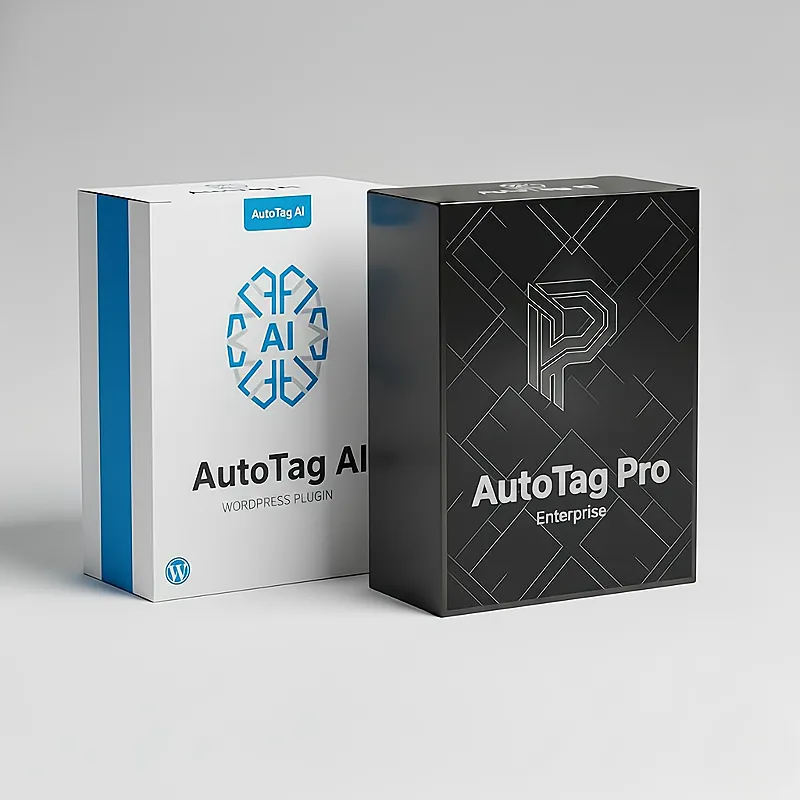
- PRO Enterprise version
The PRO version includes:
- advanced bulk editing tools
- AI citation preview
- audit logs
- developer rights
- bonus plugins
The pricing model is one of the better parts of the offer.
Instead of locking users into monthly subscriptions, AutoTag AI uses a one-time payment structure.
For smaller marketers and agencies, that’s a huge advantage.
Is AutoTag AI Legit?
Yes.
After reviewing the system carefully, the plugin appears to solve a real operational problem:
slow SEO workflows.
The dashboard structure makes sense.
The bulk editing tools are practical.
The autosave system improves productivity.
And the unlimited-site license adds real value.
Unlike many fake “AI SEO tools,” AutoTag AI focuses more on workflow efficiency than unrealistic promises.
That’s actually a positive sign.
AutoTag AI vs Yoast SEO and Rank Math
Plugins like:
- Yoast SEO
- Rank Math
- All In One SEO
focus primarily on:
- SEO scoring
- recommendations
- optimization analysis
AutoTag AI focuses more on:
- speed
- bulk management
- workflow optimization
- operational scaling
So instead of replacing those plugins completely, AutoTag AI works better as a workflow enhancement system.
That’s an important distinction.
The Hidden Benefit Most People Won’t Notice
The biggest advantage of AutoTag AI is not “AI.”
It’s momentum.
SEO becomes dramatically less annoying when workflows become smoother.
That means:
- more consistency
- faster optimization
- fewer delays
- less burnout
And over time, that often leads to better-maintained websites overall.
Frequently Asked Questions
Does AutoTag AI Require API Keys?
No. According to the product page, no external API keys are required.
Can It Handle Thousands of Posts?
Yes. The creators specifically state the plugin was built for websites with thousands of posts, pages, categories, and tags.
Is This a Subscription?
No. The current pricing model uses a one-time payment.
Will It Conflict With Yoast or Rank Math?
According to the sales page, AutoTag AI integrates with native WordPress SEO systems and should not conflict with major SEO plugins.
Final Verdict: Is AutoTag AI Worth Buying?
After spending time reviewing the workflow, dashboard structure, feature set, and overall positioning, I think AutoTag AI succeeds because it focuses on a real-world problem instead of fake SEO hype.
The spreadsheet-style dashboard is genuinely useful.
The bulk editing system saves significant time.
The autosave workflow improves productivity.
And the unlimited-site pricing makes the plugin attractive for agencies, bloggers, affiliate marketers, and large WordPress websites.
Is it perfect?
No.
The marketing is more aggressive than necessary.
But underneath the sales copy is a practical SEO workflow plugin that solves a legitimate problem.
If you manage large WordPress websites and want a faster way to handle metadata optimization, AutoTag AI is absolutely worth considering in 2026.
Especially at the current launch pricing.
Overall Rating
| Category | Score |
|---|---|
| Ease of Use | 9.6/10 |
| Workflow Speed | 9.8/10 |
| Bulk Editing | 9.7/10 |
| Value for Money | 9.5/10 |
| Beginner Friendliness | 9.2/10 |
| Overall Rating | 4.8/5 |
[…] System Review 2026: Can This New AI Traffic Strategy Really Help You Get Discovered By ChatGPT? AutoTag AI Review 2026: I Tested This WordPress SEO Plugin on a Large Site (Here’s What Happened… KidzStudio AI Review 2026: Is This The Best AI Tool For Creating & Selling Kids Content […]
[…] “60-second setup” […]